
WordPress Alternatives: Test One Booking Before You Switch
Comparing WordPress alternatives for a small business that takes bookings? Send one test booking through each option and check four points before you switch.
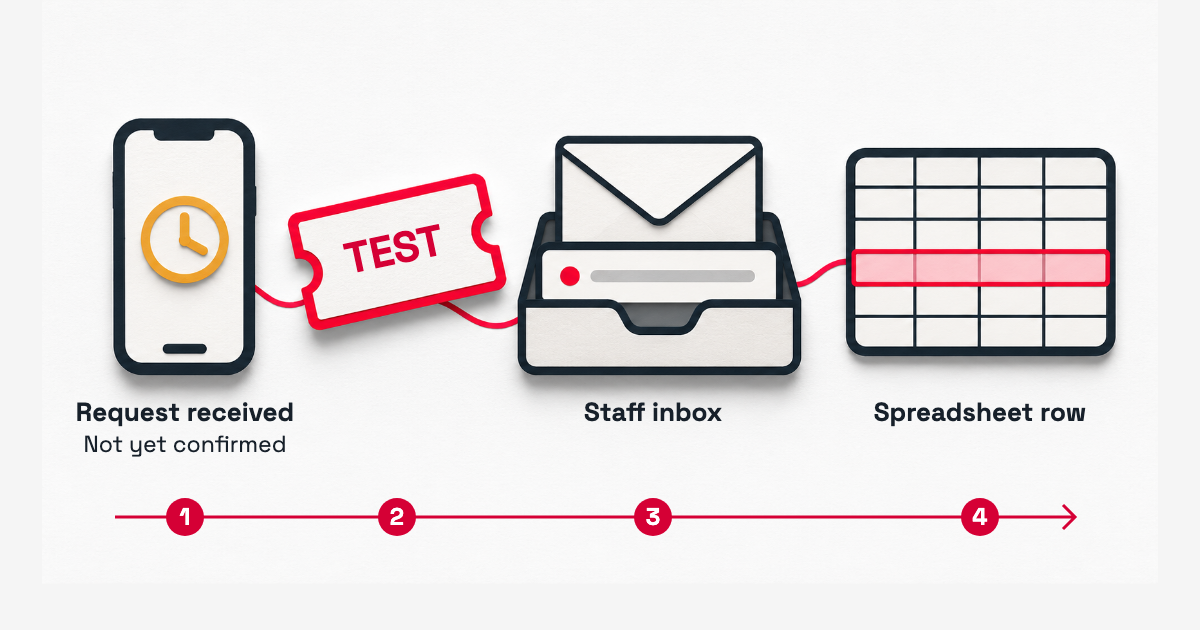
A new platform can give you a better-looking site and still lose the booking request a customer sent on Sunday night.
The best WordPress alternative for a small business that takes bookings and forms depends on what isn't working: editing pages, taking bookings, or keeping form records. If scheduling is the only problem, you may be able to keep WordPress and link to a hosted booking tool. Before switching, run one labelled test booking on your current site and on each candidate. Check that it reaches staff, the customer knows whether it's confirmed, staff can open it with their own login, and the export matches the screen.
Where that one booking gets lost tells you whether to keep WordPress, split the job, or replace the site.
Here is the version of this I'd want to avoid. The new site goes live on a Friday. On Monday a parent calls to ask whether Thursday's lesson is confirmed, and nobody can find the request. That is an illustration, not a client story, but each step of it can happen through ordinary, documented platform behaviour, which is why this guide starts with a test rather than a ranking.
Keep, split or replace: name the job that is failing
Comparison lists are good for building a shortlist. Zapier's 2026 roundup sums up its picks in an at-a-glance table of what each platform is best for, its features and its pricing [1]. A table like that can turn a long list into a short one. It cannot know where your Tuesday requests land, or who on your team reads them.
So start with your own site, and be honest about which of these is true.
Keep. The pages are fine, staff know where requests arrive, and someone owns updates and backups. Your frustration is probably cost or editing friction. That is a real problem, but a migration is a heavy way to solve it. If you are deciding during an update cycle, apply security releases anyway: WordPress shipped a 7.1.5 security release on 18 November 2026, a day after the first 7.2 release candidate [2]. Updating keeps you on the same platform; switching means moving the site, or part of its workflow, somewhere else. A pending decision is not a reason to skip a patch.
Split. The site works, but booking does not. You do not have to replace WordPress to add online booking if the pages are doing their job. A split is easy to overlook when you start from a list of whole-platform replacements, and it is often the smaller move. Square Appointments is one documented example: its setup guide offers a hosted booking-only site or a full-service site, and for a business that already has a website it documents a booking link, a button or an embedded widget [3]. Your WordPress pages can stay where they are. Whether that handoff works on your theme, on a phone, with your staff accounts, is something only a test will tell you. The guide does not mention WordPress by name.
A booking link and a booking system are different requirements. Separately, decide who can publish routine site updates. Keep the two questions apart: it is easy to blame WordPress for a booking problem, or a booking plugin for an editing problem.
Replace. Editing the site is the real pain, the stack has nobody looking after it, or the booking flow you need is fighting the theme. Replacing can be right. It also means moving content, setting redirects, training staff, rebuilding integrations and deciding what happens to old records. Which is why the replacement should win the test before it wins the budget.
The rehearsal: one booking, four checkpoints
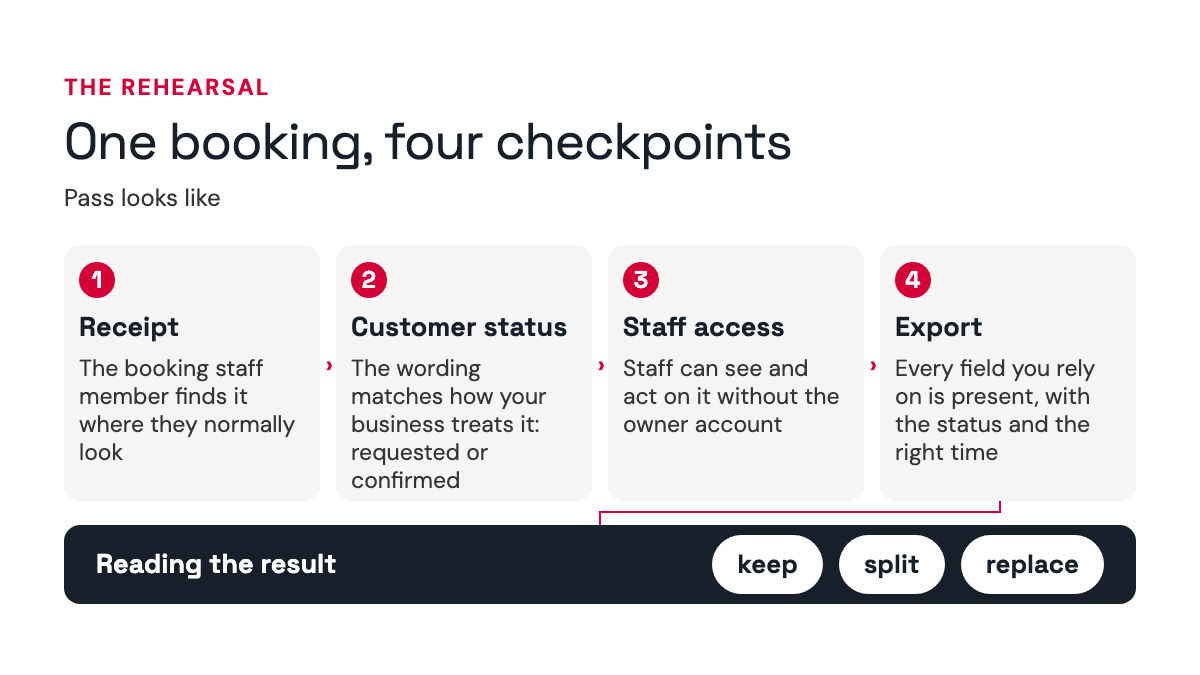
Make one fake booking that nobody could mistake for a real one. Give it a label such as "TEST-0412 do not book", use an email address you control, and pick a slot weeks away. Run it on your current site first, then on each candidate. Keep the old system live the whole time, and use no real customer data.
Do it from a phone as well as a laptop, since the booking handoff is one more screen to get through on a small display.
1. The enquiry reaches a person
"The form sent an email" is a weaker result than it sounds. The pass condition is that the staff member who handles bookings finds TEST-0412 where they look every morning, without being told it is there.
If you are testing a split setup, you now have two places requests can arrive: the WordPress contact form and the booking tool. Check both. Two inboxes is fine. Two inboxes where one belongs to a person who left last spring is the version that loses the Thursday lesson.
2. The customer knows whether they are booked
Look at the last screen and the confirmation email through the customer's eyes, and note whether they say "request received" or "you're booked". Either can be correct. The problem is when your business treats it as a request and the customer reads it as a confirmation.
Handoffs make this easy to miss. Square's instructions for an embedded booking button say plainly: "Your clients will be taken to a flow in another tab or window" [3]. That is a reasonable design. It also means the confirmation lives outside your site, so tap through to the end on a phone and check where the customer ends up and what the final screen says.
3. Staff can open the booking with their own login
Log in as the staff member who will actually manage bookings, with the role they will actually have, open TEST-0412, and check that they can see it and change it. Owners tend to test everything as the owner, and the owner account sees all of it. Square's guide includes a step for setting team members' appointment and online permissions [3]. Someone has to set those deliberately, so test the account staff will really use.
4. The export matches the screen
Don't assume form entries or booking history are included in the WordPress content export; check where each system stores its records. This checkpoint is where you find out, and it fails quietly, because a CSV that opens looks like success.
Three documented details show how a file can be the wrong extract:
- Status filters. Gravity Forms, a WordPress form plugin, asks you to choose a form, fields, an entry status and an optional date range before downloading entries as a CSV. "The default is Active." [4] Entries filed under other statuses, such as Spam or Trash, stay out of a quick export unless you change the filter.
- Time zones. Wix's form submissions table exports to CSV, and its help page notes that all dates and times are exported in UTC [5]. A form sent at 9:00 local time in a city several hours from UTC carries a different hour in the file. Fine once you know. Confusing at cutover, when you are matching records by time.
- What WordPress's own export covers. Tools > Export produces a WXR file containing posts, pages, custom post types, comments, custom fields, categories, tags, custom taxonomies and users [6]. Form entries and booking history are not on that list. Some plugins store data in a form the export can carry and others keep it elsewhere, so check where each one keeps its records instead of assuming.
The test: export TEST-0412 and compare it field by field with what staff saw on screen. Name, contact details, status, time. If the status column is missing or the time has shifted, you have found the problem while the old system is still running.
The same rule applies to any platform, Boomlink included. If a site stores form submissions in Boomlink's embedded database, authorized team members can inspect the records and export the table as a CSV. That file still needs the same field-by-field comparison.
While you are exporting, list each record type you would need to keep, where it lives today and who can export it: open enquiries, appointment history, newsletter signups. Signups need their consent state as well as the addresses, because a list that mixes pending and confirmed signups is a different list. For the wider picture of what a website export actually moves, the layers go well beyond form data.
| Checkpoint | What you do | Pass looks like |
|---|---|---|
| 1. Receipt | Submit TEST-0412 from a phone | The booking staff member finds it where they normally look |
| 2. Customer status | Read the final screen and confirmation email | The wording matches how your business treats it: requested or confirmed |
| 3. Staff access | Open it with the real staff login and role | Staff can see and act on it without the owner account |
| 4. Export | Export it and compare with the screen | Every field you rely on is present, with the status and the right time |
Reading the result
Run the four checks on your current WordPress site first. That result is your baseline.
If everything passes today, your bookings are not the reason to move. Keep WordPress, and go after the real complaint. If that complaint is money, compare what the maintenance fee includes line by line before you assume a new platform will cost less. Put hosting, updates and support, any booking tool fees, and the one-time work of migration and training side by side for keep, split and replace.
If the pages work and a separate booking tool, linked from them, fixes the checkpoint that failed, that is a split. Retest the whole path with the new tool in place. You keep the site your customers already know and fix the one job that is broken.
If editing is the pain and a candidate passes all four, replacing makes sense. Keep the old system running until the first week of real bookings reconciles against it.
If a candidate fails any checkpoint, it is not ready for your business yet, however good its homepage looks in the demo.
Built-in booking still has to pass the test
"Just pick a platform with booking built in" is the strongest objection, and it has a point. One system means fewer handoffs, and fewer handoffs means fewer places for TEST-0412 to fall through.
But built-in booking still has to pass the same four checks, and switching adds work a feature table does not show: field and status mapping, redirects, staff training, and a cutover where old and new records overlap. For some businesses that work is worth it. For others the honest answer is the one a developer gave on Reddit about small clients: "A bespoke react-based solution tends to be out of their budget and I default back to WordPress." [7] That is one person's experience with blogging and ecommerce clients, not a rule. It is a useful reminder that staying is a legitimate outcome.
What one test booking cannot tell you
One record proves one path works. It says nothing about whether every past entry exported, whether the service stays up, whether your data handling meets privacy rules, or whether attachments survive.
If you take deposits, or customers often cancel and reschedule, run those paths as separate tests. Same label, same four checkpoints.
Run the first test this week, on the site you already have. If you do switch, the four checks don't end at launch: assign an owner to each post-launch check. Before cutover, name who publishes routine changes, who watches for failed bookings, and who can retrieve old records. Keep the old system until the checks pass.
References
- Zapier, Nicole Replogle, "The 10 best WordPress alternatives in 2026", 28 January 2026. Comparison list with an at-a-glance best-for, features and pricing table; discloses possible commissions. https://zapier.com/blog/wordpress-alternatives/ (captured 2026-11-22)
- WordPress.org, "News", listing the WordPress 7.1.5 security release (18 November 2026) and WordPress 7.2 Release Candidate 1 (17 November 2026). https://wordpress.org/news/ (captured 2026-11-22)
- Square, "Set up online booking with Square Appointments". Hosted booking site options, booking link, button and widget for existing websites, and team member permissions. https://squareup.com/help/us/en/article/5355-set-up-online-booking-with-square-appointments (captured 2026-11-22)
- Gravity Forms documentation, "Exporting Form Entries", updated 28 October 2026. https://docs.gravityforms.com/exporting-form-entries/ (captured 2026-11-22)
- Wix Help Center, "Wix Forms: Viewing and Managing a Submissions Table". https://support.wix.com/en/article/wix-forms-viewing-and-managing-a-submissions-table (captured 2026-11-22)
- WordPress.org documentation, "Tools Export Screen". https://wordpress.org/documentation/article/tools-export-screen/ (captured 2026-11-22)
- r/webdev, discussion thread on WordPress alternatives for small-budget clients, opening post by a deleted account, October 2023. One practitioner's account, not a survey. https://www.reddit.com/r/webdev/comments/17bvh3w/i_keep_coming_back_to_wordpress_are_there_any/ (captured 2026-11-22)