
Double Opt-In: A Signup Is Pending Until the Link Is Used
A double opt in signup is not confirmed when the form says thanks. Match each message to what has actually happened, including expired links and failed sends.
A visitor types an address into your newsletter form, presses the button, and the page says "You're subscribed!" Under double opt-in, that is not true yet. Submitting the form only starts the request. The signup is confirmed when a valid, unexpired confirmation link from the email is used and the provider accepts it. Mailchimp documents that two-step order, and AWS advises sending only the confirmation message first, then holding regular subscription mail until the recipient clicks its link.[1][5] Until then the address is pending, in the plain sense of not yet confirmed. Providers name and store that in-between record in different ways.
So the message after the form is a claim. "We received your request," "we sent your confirmation email" and "you're subscribed" are three different claims, each backed by different evidence. A signup page should make only the one that is true right now. Below is a way to check each moment of a signup against that rule, the two places the second step breaks, and one product page that words the in-between step correctly.
Three claims a signup page can make
A form response proves the site received an address. It says nothing about whether whoever controls that mailbox wants your newsletter, and nothing yet about whether an email went out. That is the job of the double opt-in email: it asks the recipient to confirm the signup, and receiving the form submission is not that confirmation.[1]
When your provider accepts the confirmation send, you know a message was handed off for delivery. You do not know it arrived. Only a valid confirmation link, used before it expires and accepted by the provider, supports the third claim.[1][5]
Mailchimp's thank-you page asks the visitor to check their email, and its documentation adds the contact "as a subscribed contact" only after the verification click.[1] Read that sequence as a writing rule. "Check your email" belongs after the send is accepted. "Subscribed" belongs after confirmation. Nothing earlier earns either word.
The table below is our analysis, built from the Mailchimp, AWS and Brevo documentation cited here.[1][2][3][5] It was not tested on a live list. The first column is an event or condition, not a subscription status; the middle column ends with what that event means for the subscription.
| Event or condition | What it proves, and what it doesn't | Message to show |
|---|---|---|
| Form submitted, send outcome not known yet | The site received an address. Not yet known: whether the confirmation email was accepted for sending. Subscription: not yet confirmed. | "We've received your signup. It isn't confirmed yet." |
| Provider accepted the confirmation send | The email was handed off for delivery. Not yet known: whether it arrived and where it landed.[6] Subscription: not yet confirmed. | "Check your email to confirm your subscription. If it isn't there, look in spam or promotions." |
| Confirmation send failed with an error | The provider did not report the send as accepted. Not known: whether anything was queued or will still arrive, unless your provider documents what that error means. Subscription: not confirmed. | "We couldn't confirm that your confirmation email was sent, so your signup isn't confirmed yet." |
| Valid link used and accepted by the provider | The link was used before expiry and accepted.[1] Still unknown: who used it, and where later mail lands. Subscription: confirmed. | "Your subscription is confirmed." |
| Confirmation link expired | The address was not confirmed through that link. Not known: how the provider now stores the record. Subscription: not confirmed through that link. | "This confirmation link has expired." |
- Does the screen after submit say "subscribed" or "check your inbox" before the send outcome is known?
- Does check-your-inbox copy appear only after the provider accepts the send?
- Can your form show a send error? Offer a retry only if a working one exists.
- Is the confirmation page the first screen that says "subscribed"?
- What is your provider's link expiry rule, and does signing up again send a new link?[2]
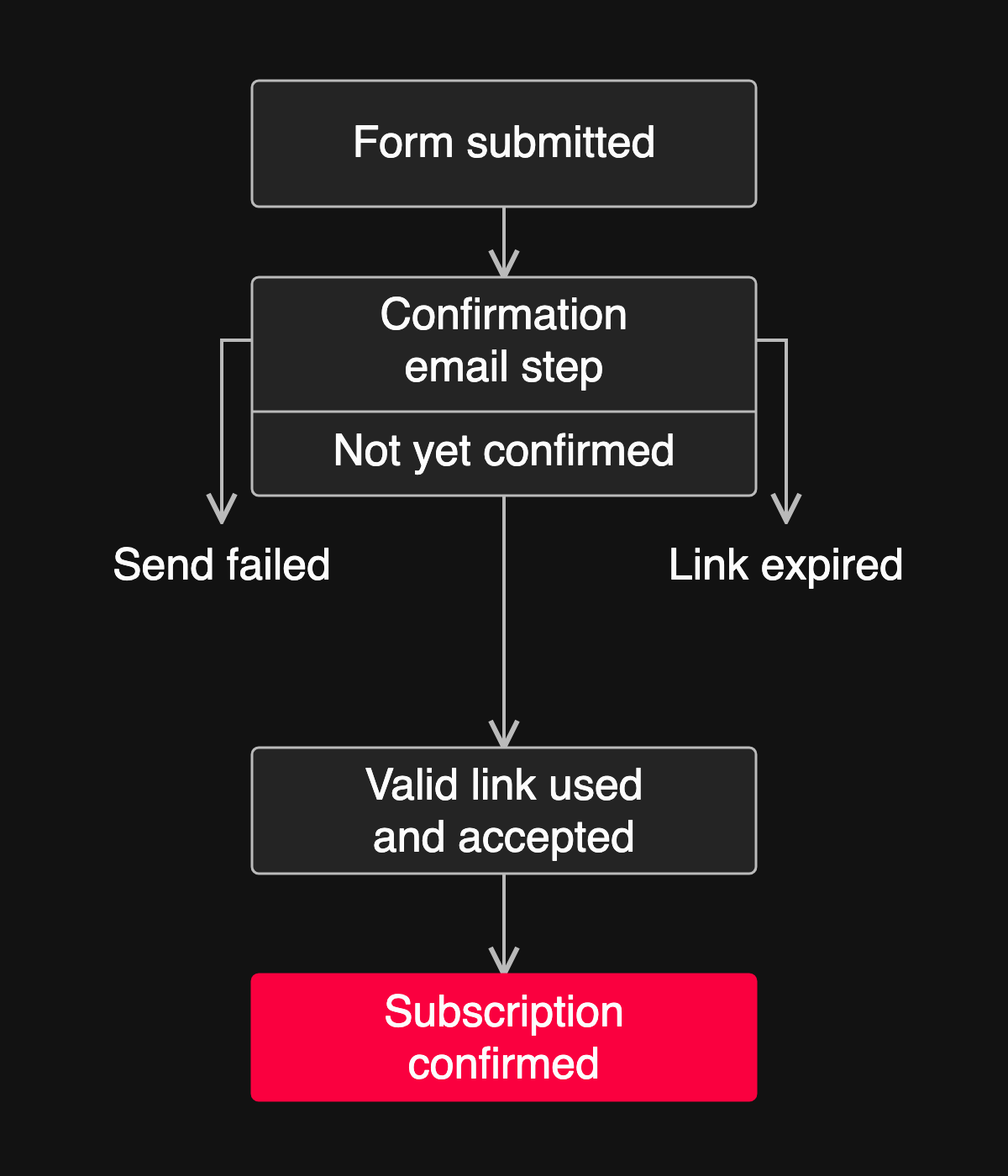
Two of those rows get forgotten most easily, because they only appear when the second step breaks.
When the second step breaks
What happens if the confirmation link expires?
Brevo's help center puts it plainly: "After 30 days, the confirmation link expires."[2] That is Brevo's rule. Other providers may use a different window, and nothing here establishes a universal one.
An expired link is a lapsed attempt, not a subscriber status. It tells you the address was not confirmed through that link. It does not tell you the record was deleted, or how the provider stores it now.
So look up the expiry rule for your own provider, then decide what someone who clicks a month-old link should see. A page that says "This confirmation link has expired" beats a generic error. Add "sign up again" only if signing up again on your site actually issues a new link. That is my recommendation, not a documented behavior of any product named in this article.
What if the confirmation email never arrives?
If the confirmation send failed, the signup is not confirmed through that attempt. If the provider accepted the send but the email is missing, that is a delivery problem, and a separate one.
Start with the failed send, where the system knew something went wrong. On 26 October 2026, Brevo's status page reported that requests to its doubleOptinConfirmation endpoint could return an error about SMTP account activation. Brevo explained that the API key needed Transactional Email scope, because sending the confirmation email is part of that endpoint's flow, and stated: "Only the doubleOptinConfirmation endpoint is impacted." The incident was marked resolved the same day.[3] Brevo published no count of affected signups, and this was not an outage of all email.
The lesson I draw is an inference, not something Brevo said: a double opt-in signup depends on a separately configured sending capability. When that capability returns an error, the page should not promise an email. "Check your inbox" could send the visitor looking for a message that may never arrive. Say you couldn't confirm the email was sent. Say it was not sent only if your provider documents that the error means nothing was queued. And unless your site has a working retry or resend path, do not tell them to try again.
The other case is quieter: the provider accepted the send and the visitor still cannot find it. Mailchimp's troubleshooting guide lists delivery delays, corporate filters and firewalls, and placement in junk or Promotions folders.[6] Here, "check your spam or promotions folder" is honest advice, because the provider took the message for delivery. On timing, Mailchimp's guide suggests waiting a few hours before troubleshooting further and says some bulk mail can take up to 24 hours. That is Mailchimp's guidance, not a promise for every provider.[6]
Now suppose the email arrives and the link works. That proves less than it seems to.
What a confirmed address still does not prove
Confirmation shows that a valid link was used and the provider accepted it. On its own, it does not establish who used the link. It is not inbox placement either, and it does not meet sender requirements on your behalf.
Google's Email sender guidelines for mail to Gmail accounts keep these separate. All senders must set up SPF or DKIM. Senders at around 5,000 messages a day to Gmail accounts must set up SPF and DKIM plus DMARC with alignment, and their marketing and subscribed messages must support one-click unsubscribe with a visible unsubscribe link. Google's page phrases that threshold both as "5,000 or more" and "more than 5,000."[4] Double opt-in substitutes for none of these. That conclusion is ours, drawn from the requirements being listed separately; Google does not frame it that way.
The confirmation email has a risk of its own, since it goes out before anyone has confirmed anything. It is worth taking the time to review the first confirmation email separately, because the question there is what an anonymous visitor can make it say.
Single opt-in vs double opt-in: where the signup ends
The strongest objection to everything above is that double opt-in adds a step. Mailchimp's comparison page describes single opt-in as the option with less friction, since there is no confirmation email to act on.[7] It follows that some people who submit a double opt-in form may never complete confirmation. I can't tell you how many. No source here measures that loss, and I won't guess.
That objection is fair, and it points at a decision rather than a defect. Single opt-in makes submit the end of the signup. If that is what you want, choose it openly and write "You're subscribed" right after a successful submission, because in that model it is true.
Double opt-in moves the end to the confirmation. The word "subscribed" has to wait until a valid, unexpired link is used and the provider accepts it. What fails is the mix: double opt-in mechanics with single opt-in copy.
This applies to email newsletter signups. SMS consent, account activation and waitlists have their own rules. It is not legal advice, and I am not calling single opt-in illegal or low quality.
How the Boomlink SaaS template words the pending step
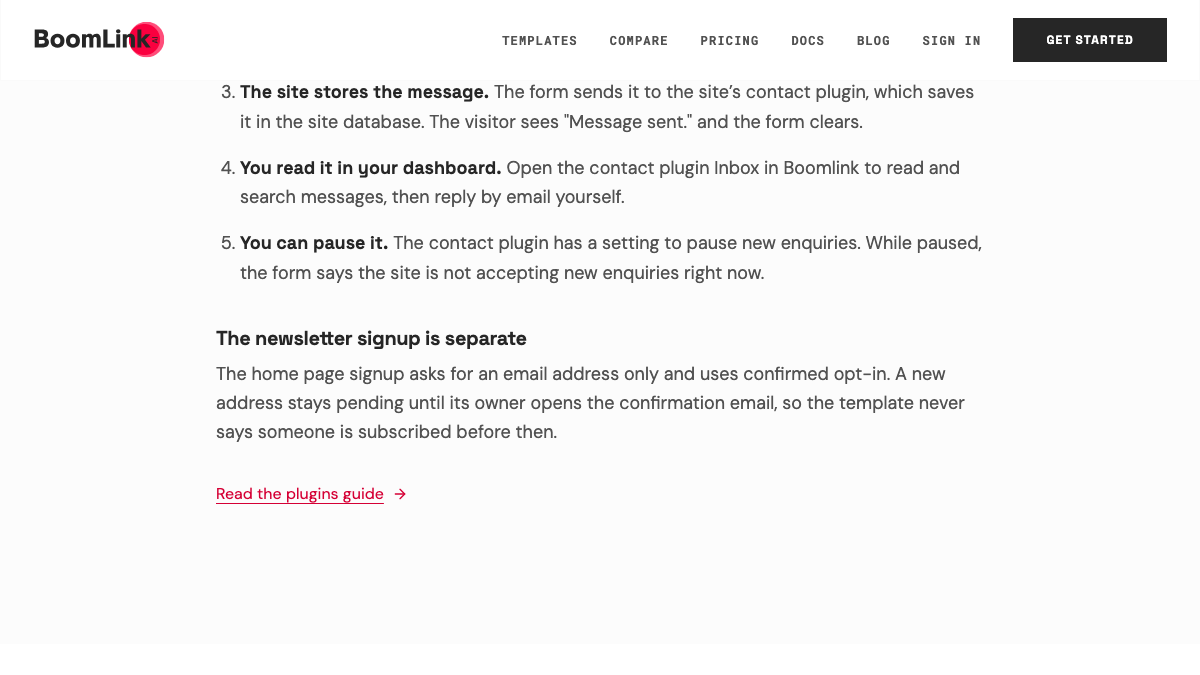
Here is one product page that writes the in-between step the way this article argues for. Boomlink describes the SaaS template's newsletter signup on its template page, under "The newsletter signup is separate":
"The home page signup asks for an email address only and uses confirmed opt-in. A new address stays pending until its owner opens the confirmation email, so the template never says someone is subscribed before then."
The last clause is the table's rule applied to a real page: no "subscribed" before confirmation. One note on reading it. "Its owner opens" is the template page's wording, quoted as written. I don't read it as open tracking, as a tested link click, or as proof of who controls the address.
The capability comes from the Newsletter plugin's confirmed opt-in workflow. Boomlink's plugins guide says the plugin "Adds a newsletter signup workflow with confirmed opt-in behavior," and tells you to review the preview and test the visitor workflow before publishing.
You can check the form yourself. The template page links to a public live demo with the newsletter signup. I opened it but did not submit it, because that would send a real email, so this article does not show what the demo's confirmation message looks like.
The fit is specific. This is a site signup with confirmed opt-in, which is double opt-in under another name. Nothing here shows Boomlink as a campaign-sending tool, and I make no claim about its deliverability, its link expiry period, resend controls or compliance. If you need those, check them directly before you choose it.
Open the SaaS landing page template and read its newsletter signup section, then start from it if a signup that stays pending until confirmation is what you want.
References
- Mailchimp, "About Double Opt-in," Mailchimp Help. Inspected 2026-11-03; page publication/update date not established. Describes form submission, a confirmation email with a verification link, and the contact being added as subscribed after the click. Mailchimp-specific form settings are not generalized here. https://mailchimp.com/help/about-double-opt-in/
- Brevo, "Double opt-in (DOI): what it is and how to track user sign-ups," Brevo Help Center. Inspected 2026-11-03; page publication/update date not established. States that the confirmation link expires after 30 days. Brevo's rule only, not a universal timeout or a statement about record deletion. https://help.brevo.com/hc/en-us/articles/208733449-Double-opt-in-DOI-What-it-is-and-how-to-track-user-sign-ups
- Brevo Status, "Error with doubleOptinConfirmation API" (timeline dated 2026-10-26, identified and resolved the same day; timezone not stated in the captured text; inspected 2026-11-03). Endpoint-scoped error tied to Transactional Email scope. No affected-signup count was published, and no other provider or product is involved. https://status.brevo.com/incidents/01M5VB1KY7D7A9P0M82JR2AHVE
- Google, "Email sender guidelines," Google Workspace Admin Help. Inspected 2026-11-03; page publication/update date not established. Requirements for all senders to Gmail accounts and additional requirements for senders around 5,000 messages a day, including one-click unsubscribe for marketing and subscribed messages. Not an inbox-placement guarantee. https://support.google.com/a/answer/81126
- Amazon Web Services, "Maintaining a positive sender reputation," Amazon SES Developer Guide. Inspected 2026-11-03; page publication/update date not established. Recommends a confirmation link and not sending subscription mail until the recipient clicks it. Guidance, not a measured result. https://docs.aws.amazon.com/ses/latest/dg/tips-and-best-practices.html
- Mailchimp, "Troubleshoot the Opt-in Confirmation Email," Mailchimp Help. Inspected 2026-11-03; page publication/update date not established. Lists delivery delays, corporate filters and junk or Promotions placement, and suggests waiting a few hours before further troubleshooting. Mailchimp-specific troubleshooting. https://mailchimp.com/help/troubleshoot-the-opt-in-confirmation-email/
- Mailchimp, "Single Opt-in vs. Double Opt-in," Mailchimp Help. Inspected 2026-11-03; page publication/update date not established. Describes single opt-in as the lower-friction, one-step option. Its broader list-quality and legal wording is not adopted here. https://mailchimp.com/help/single-opt-in-vs-double-opt-in/