
Webflow Alternative For Assistant-Led Publishing
Webflow Alternative For Building From ChatGPT Or Claude
Webflow is a strong choice for visual design control, CMS, ecommerce, and enterprise web operations. Boomlink is for founders and operators who want a real, working website with a built-in database instead of a front-end-only page: you start from a template, ready-made parts do the work, and your AI edits the wording and layout from ChatGPT or Claude, then move through preview, forms, publishing, versions, and custom domains without learning a full visual builder first.
Preview before publishing. Custom domains on paid plans. No claim of Webflow Designer, CMS, Optimize, or AEO parity.
Browse All Website Builder Comparisons
Published | Last updated
Fast Fit
Is Boomlink Or Webflow The Better Fit?
| Choose Boomlink If... | Choose Webflow If... |
|---|---|
| You want a real, working website with a built-in database, not a front-end-only visual canvas. | Your workflow starts in a visual design canvas. |
| You want ready-made parts and a complete website template to do the work, with your AI editing only the wording and layout. | You need mature visual layout, animation, CMS, ecommerce, and enterprise governance in one web platform. |
| You want the site operated by agents over MCP and run from a phone, managed as embedded widgets in one single dashboard. | You need Webflow CMS, Webflow Optimize, Webflow AEO, localization, ecommerce plans, or enterprise platform features. |
| You want a real, working website with real data, forms, simple 50/50 variants, and a way to export your data per site. | You want a broad website experience platform with deep designer and team workflows. |
Search Intent
Why Teams Look For A Webflow Alternative
Webflow gives teams serious control. That control is useful when the website is a design system, CMS, ecommerce storefront, localization system, analytics surface, and enterprise governance layer.
But not every project is a front-end-only site. Many AI-first teams now need a real, working website with real data: a page drafted on a template, a built-in database behind it, ready-made parts for the features, a preview checked, and a public URL shipped.
For that job, a complete website template plus ready-made parts, with your AI editing only the wording and layout, can be a cleaner path than learning a full visual development platform. Boomlink is an alternative for that workflow, not a universal replacement for Webflow.
Comparison
Boomlink Vs Webflow: Feature-By-Feature Comparison
| Category | Boomlink | Webflow |
|---|---|---|
| Primary Workflow | Start from a complete website template with a built-in database; ready-made parts do the work and your AI edits the wording and layout over MCP. | Visual development platform with AI, MCP, CMS, analytics, AEO, Optimize, ecommerce, and enterprise tooling. |
| Best Fit | AI-first founders and operators who want a real, working website with real data, run by agents and from a phone. | Designers, agencies, marketing teams, and enterprises that need mature design control and broad web operations. |
| AI Workflow | Your AI edits only the wording and layout through MCP, while ready-made parts do the heavy functional work. | Provides AI site builder features and an MCP server for Webflow projects. |
| App Architecture | Every site is a real, working website with its own built-in database and way to export your data, powered by ready-made parts. | A front-end-only visual platform with CMS-backed content, not a per-site real, working website database. |
| Visual Design Control | Focuses on a complete website template and thin-layer edits rather than a full visual design canvas. | Mature visual canvas for layouts, animations, styles, components, and custom code extensions. |
| CMS and Content Operations | Supports sites, pages, assets, forms, config, publishing, versions, custom domains, and an embedded per-site database. | Markets a visual-first composable CMS with collections, APIs, templates, collaboration, and content workflows. |
| Publishing | Supports workspace-backed previews, publishing, public URLs, rollback, and version retention. | Hosts Webflow sites and provides publishing workflows, with more enterprise capabilities on higher plans. |
| Plugins | Supports site-scoped contact and newsletter workflows through ready-made parts. | Webflow plans include form features, with plan-specific file upload and submission behavior. |
| A/B Testing | Supports publishing a main and promote variant with 50/50 visitor assignment and cookie persistence. | Webflow Optimize supports experimentation and personalization with plan limits and enterprise options. |
| Embedded Data | Provides a per-site libSQL database, dashboard Data API, row CRUD, CSV export, and public endpoint options. | Webflow CMS is strong, but public competitor research does not position it as a per-site embedded libSQL app database. |
| AEO and AI Search | Uses structured content, schema, semantic headings, and crawlable tables for AI-readable marketing pages. | Has SEO/AEO audit tooling, AEO analytics, and AEO agents with plan and access requirements. |
| Pricing | Public Boomlink pricing lists Free, Starter at $12/mo, and Team at $29/mo. | Pricing research captured on 2026-07-02 found Basic at $15/mo billed yearly, Premium at $25/mo billed yearly, Platform Team at $2,500/mo on an annual contract, and custom Enterprise pricing. |
Bottom line: choose Boomlink when you need a real, working website with a built-in database, ready-made parts, preview, forms, simple variants, and publishing, operated by agents and run from a phone. Choose Webflow when the work depends on mature visual design, CMS, ecommerce, localization, enterprise governance, Optimize, or dedicated AEO tooling.
AI Workflow
The Difference Is What You Ship
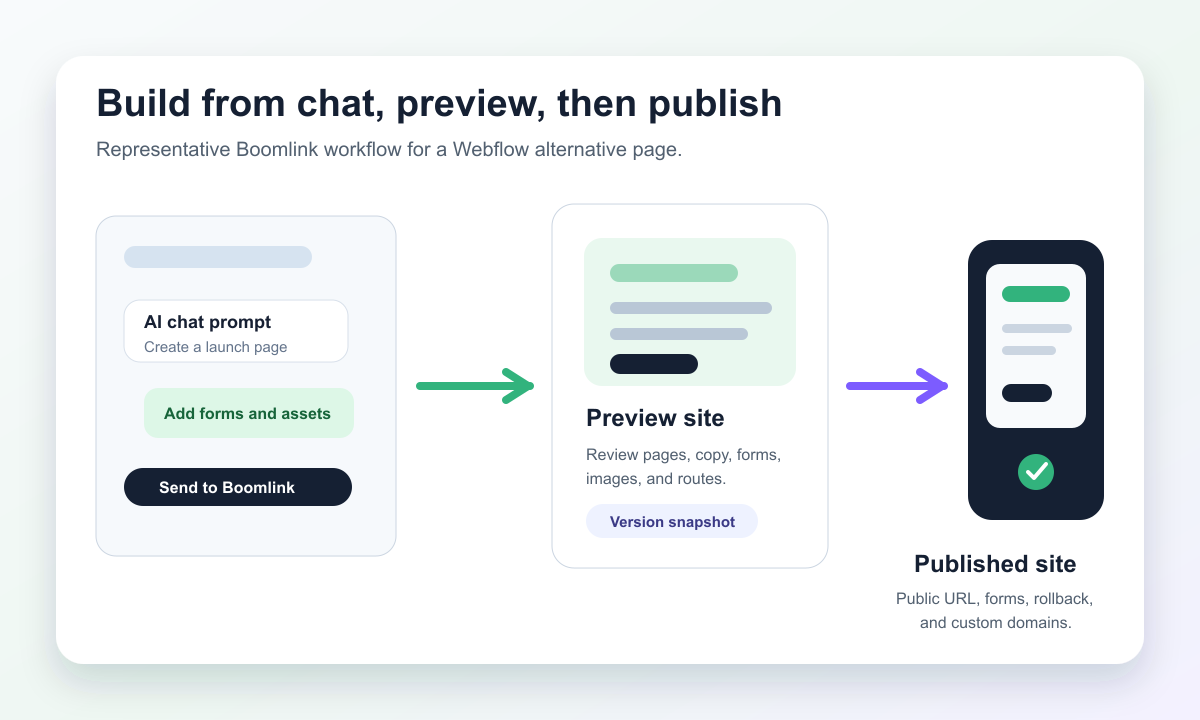
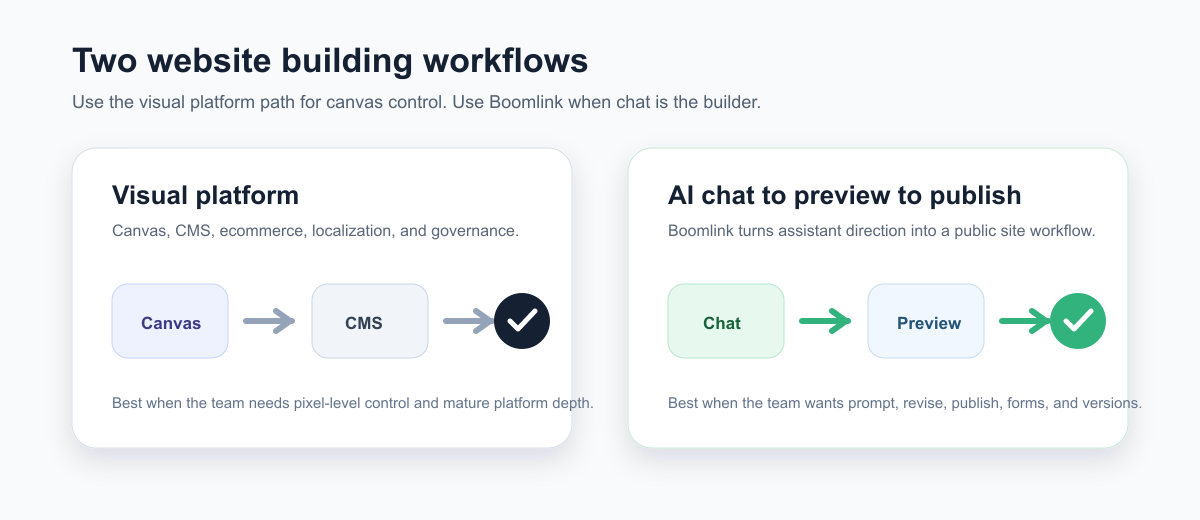
Webflow has AI and MCP support. The distinction is not that Webflow missed AI. The distinction is that Webflow stays a front-end-only visual platform, while Boomlink ships a real, working website with a built-in database where ready-made parts do the work and your AI edits only the wording and layout.
- 01
Prompt
Start from a complete website template and have ChatGPT or Claude edit the wording and layout.
- 02
Preview
Validate routes, copy, images, CSS, forms, and publish state.
- 03
Publish
Use Boomlink status feedback to ship the public page.
Boomlink Workflow
Start from a complete website template with a built-in database. Ready-made parts do the work, your AI edits the wording and layout through Boomlink MCP tools, and you attach images, configure forms, review the preview, then publish with status feedback.
Webflow Workflow
Use Webflow when the team needs a visual canvas, CMS, site governance, optimization, and broader web platform capabilities around the site.
SEO And AEO
AI Search Context Without Overclaiming
Do not choose Boomlink because of an unsupported claim that it beats Webflow at SEO, AEO, or GEO. Webflow has strong public messaging around SEO, AEO, GEO, analytics, and optimization.
Where Webflow Is Stronger
Webflow publicly markets AEO tooling, SEO support, analytics, optimization, localization, and enterprise-oriented web operations. This page does not claim Boomlink has equivalent enterprise AEO tooling.
What Boomlink Can Safely Claim
Boomlink pages can use semantic headings, visible comparison tables, FAQ schema, Article schema, BreadcrumbList schema, internal links, and answer-first copy so the page remains crawlable and easy to evaluate.
Operations
Boomlink Is Built For The Work After The First Draft
The page is only useful once it can be previewed, published, measured, and changed. Boomlink focuses the AI workflow around those practical site operations.
Preview Before The Page Goes Live
Boomlink supports workspace-backed previews so creators and AI agents can validate pages, routes, images, CSS, and font assets before publishing.
Publish And Roll Back When The Page Changes
Boomlink publish flows create site versions, set active versions, return public URLs, and support rollback to previous published versions.
Add Site-Scoped Visitor Workflows
Boomlink supports contact and newsletter workflows through isolated, site-scoped plugins.
Store App-Like Site Data
Boomlink gives each site its own embedded libSQL database, with dashboard APIs for table browsing, row CRUD, and CSV export.
Test One Page Direction Against Another
Boomlink supports a main and promote variant with 50/50 visitor assignment and cookie persistence. This is simple variant publishing, not full Webflow Optimize parity.
Site Operations
launch-week-site
Publish
Published
Public URL returned after preview approval.
Forms
waitlist
3 new submissions ready for review.
Variant
main / promote
50/50 assignment with cookie persistence.
Data
leads table
Rows available for browse, edit, and export.
Pricing
Boomlink And Webflow Pricing, Side By Side
Public Boomlink pricing lists Free, Starter at $12/mo, and Team at $29/mo. Webflow publishes separate Site, Platform, Ecommerce, Workspace, and add-on pricing. Current Webflow pricing research captured on 2026-07-02 found Basic at $15/mo billed yearly, Premium at $25/mo billed yearly, Platform Team at $2,500/mo with an annual contract, and Enterprise at custom pricing.
| Pricing Question | Safe Answer |
|---|---|
| Is Boomlink cheaper than Webflow? | Public Boomlink pricing lists Free, Starter at $12/mo, and Team at $29/mo. Webflow pricing research captured on 2026-07-02 found Basic at $15/mo billed yearly, Premium at $25/mo billed yearly, Platform Team at $2,500/mo on an annual contract, and custom Enterprise pricing. Compare both against your plan needs and verify current pricing before buying. |
| Is Webflow pricing simple? | Webflow publishes several plan areas: Site, Platform, Ecommerce, Workspace, and add-ons. |
| Should price drive the decision? | For this page, lead with workflow fit: AI-chat publishing versus a mature visual web platform. |
Webflow pricing can change. Verify current pricing on Webflow before making a purchase decision.
Right Fit
Webflow Is Still The Better Choice For Some Teams
Choose Webflow if your team needs a mature visual designer, deep CMS collections, ecommerce plans, localization workflows, enterprise governance, or Webflow's AEO and Optimize capabilities. Those are real Webflow strengths, and this page does not minimize them.
Boomlink is a better fit when the main job is to ship a real, working website with a built-in database, powered by ready-made parts and edited by your AI in the wording and layout, then manage it as embedded widgets in one single dashboard.
Switching
Switching From Webflow To Boomlink
Treat a switch as a rebuild by outcome, not a one-click platform migration. Preserve the assets and SEO decisions that matter, then rebuild the site around the AI-led publishing workflow.
- Step 1
Inventory priority pages, URLs, metadata, forms, CMS-backed content, integrations, and redirects.
- Step 2
Decide which pages should become assistant-led campaign pages, lead capture flows, or app-like pages with embedded data.
- Step 3
Preview the Boomlink build, verify forms and metadata, connect domains only when the published result is ready.
FAQ
Webflow Alternative Questions
What is the best Webflow alternative for AI-first website publishing?
Boomlink is a strong Webflow alternative when you want a real, working website with a built-in database instead of a front-end-only visual platform. You start from a complete website template, ready-made parts do the work, and your AI edits the wording and layout from ChatGPT or Claude. Webflow is still a stronger fit for teams that need a mature visual design platform, CMS, ecommerce, and enterprise web operations.
Does Boomlink replace Webflow Designer?
No. Boomlink is not a Webflow Designer clone. Webflow has mature visual design control. Boomlink is a complete website template and plugin platform between AI code generators and WordPress, where ready-made parts do the work and your AI edits only the wording and layout.
Does Webflow have AI and MCP support?
Yes. Webflow has AI features and MCP support. The difference is that Webflow stays a front-end-only visual platform, while Boomlink ships a real, working website with a built-in database where ready-made parts do the work, your AI edits the wording and layout, and every plugin and template is a widget in one single dashboard.
Can Boomlink publish a live website?
Yes. Product evidence supports workspace-backed previews, publish operations, public URLs, active versions, and rollback to a previous published version.
Can Boomlink handle site forms?
Yes. Contact and newsletter plugins provide site-scoped visitor workflows without a central Forms dashboard.
Can Boomlink run A/B tests?
Boomlink supports a simple variant publishing workflow with a main and promote variant, 50/50 visitor assignment, and cookie persistence. This is not a claim of parity with Webflow Optimize personalization or enterprise experimentation features.
Is Boomlink better than Webflow for SEO or AEO?
No broad SEO or AEO superiority claim is made here. Webflow has published SEO and AEO tooling, including enterprise-oriented AEO capabilities. Boomlink pages can still use strong technical SEO fundamentals: semantic headings, crawlable comparison tables, FAQ schema, Article schema, BreadcrumbList schema, and clear answer-first copy.
Is Boomlink cheaper than Webflow?
Public Boomlink pricing lists Free, Starter at $12/mo, and Team at $29/mo. Webflow pricing facts on this page were captured on 2026-07-02 and show Basic at $15/mo billed yearly, Premium at $25/mo billed yearly, Platform Team at $2,500/mo on an annual contract, and custom Enterprise pricing. Compare both against your plan needs and verify current pricing before buying.
Start With The Prompt
Start Where Your Site Idea Already Lives
If your next site starts as a prompt, brief, or campaign idea inside ChatGPT or Claude, Boomlink turns it into a real, working website with a built-in database. Start from a template, let ready-made parts do the work, have your AI edit the wording and layout, then preview, configure forms, and publish without turning the process into a full visual platform migration.
Built for AI-first site creation, preview, publishing, and operations.