What to Do After Launching a Website: Give Each Trigger an Owner
Give every important site trigger an owner, evidence check, decision, and follow-up. See what to do after launching a website with the five-part map.
Suppose a new site is live while its next decision is still nobody's job. The contact form worked in preview. A week later, someone notices fewer inquiries. Who checks whether submissions reach the right person before the team starts changing headlines?
If you're wondering what to do after launching a website, begin by assigning that decision. For each important part of the site, name a trigger, an owner, evidence to check, a decision, and a follow-up. This is a practical operating map, not a proven industry standard. AI may have helped build the pages; it cannot decide who takes responsibility when something changes.
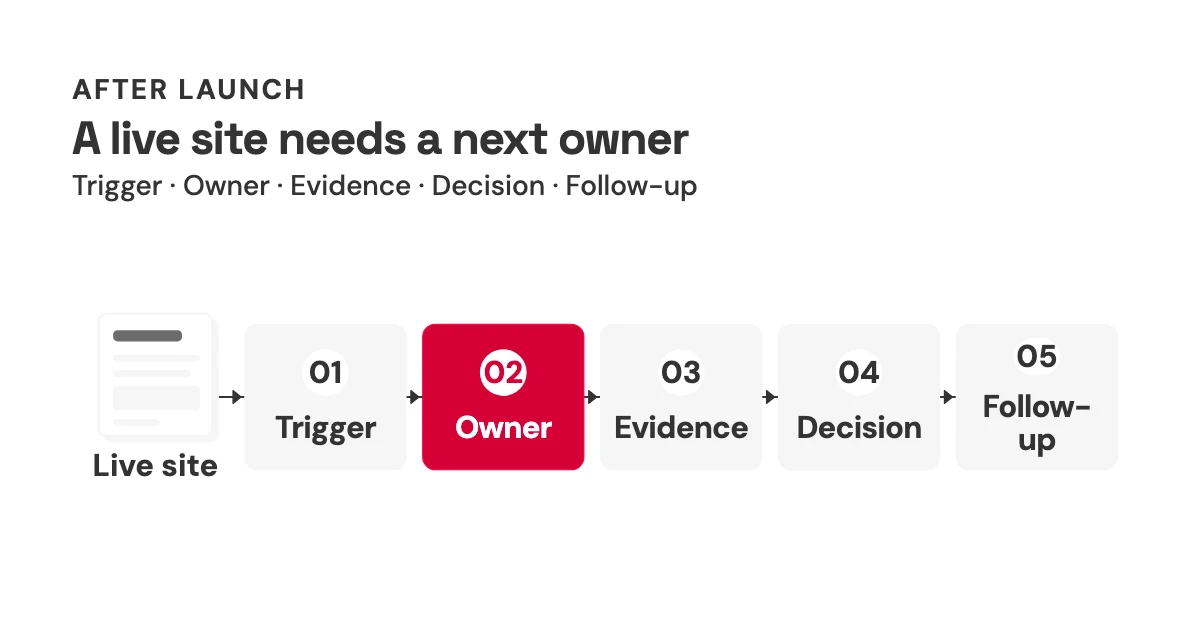
At a glance: This five-part loop is an editorial synthesis, not a published standard.
| Part | Question for the team |
|---|---|
| Trigger | What change or signal calls for attention? |
| Owner | Who makes the next call? |
| Evidence | What can that person actually check? |
| Decision | Will they act, wait, or investigate? |
| Follow-up | What should the next person revisit? |
What to do after launching a website: name the next owner
Consider a three-person team sharing a marketing site. One writes the copy, another handles inquiries, and a third publishes changes. On Monday, they spot a dip in clicks to the main page. Each can reasonably think the others are watching it. This is an illustrative handoff, not a report from a real team. The problem is clear even without a fabricated result: a visible signal is not an assignment.
Google Search Console's Performance report can show clicks, impressions, click-through rate, and average position, then break those observations down by page, query, and date range.[1] None of those fields names the person who should investigate a change. Nor does a click chart tell you whether the page sent a useful inquiry. A website launch checklist might confirm that tracking was installed. A post-launch website checklist can list recurring tasks; a separate responsibility map makes the accountable person explicit.
I would keep the website maintenance checklist for recurring work; let the separate map name who owns each trigger. Start with the page that matters most to the team, not with an inventory of every URL. For that page, define what would prompt a closer look and who gets the first call. Otherwise a dashboard can be busy while the handoff remains empty.
Give each trigger one owner and one testable signal
Take a contact form. A useful trigger could be a form edit, a new campaign sending visitors to it, or an inquiry that should have arrived but did not. Assign one accountable person to check the path. On a small team, that person might also own search and publishing. One owner per trigger does not mean one employee per row in an org chart.
The first check should match the failure you're worried about. Google Analytics defines form_start as the first interaction with a form in a session and form_submit as a submission event.[2] Those are different observations. Neither confirms that an inquiry reached the intended inbox or system. For a new campaign, I would have the site owner submit a real test on a phone, try an invalid submission to see what the visitor sees, and ask the intended recipient to confirm receipt. The end-to-end test is a practical recommendation, not a capability promised by the analytics events.
If submissions are recorded but nothing arrives, the next decision is to investigate delivery before buying more traffic. If receipt is confirmed but starts far outnumber submissions, examine the form itself before changing the acquisition message. That second pattern is a reason to investigate, not a diagnosis: event configuration and visitor intent could also matter. In either case, the owner needs evidence with enough detail to tell those situations apart.
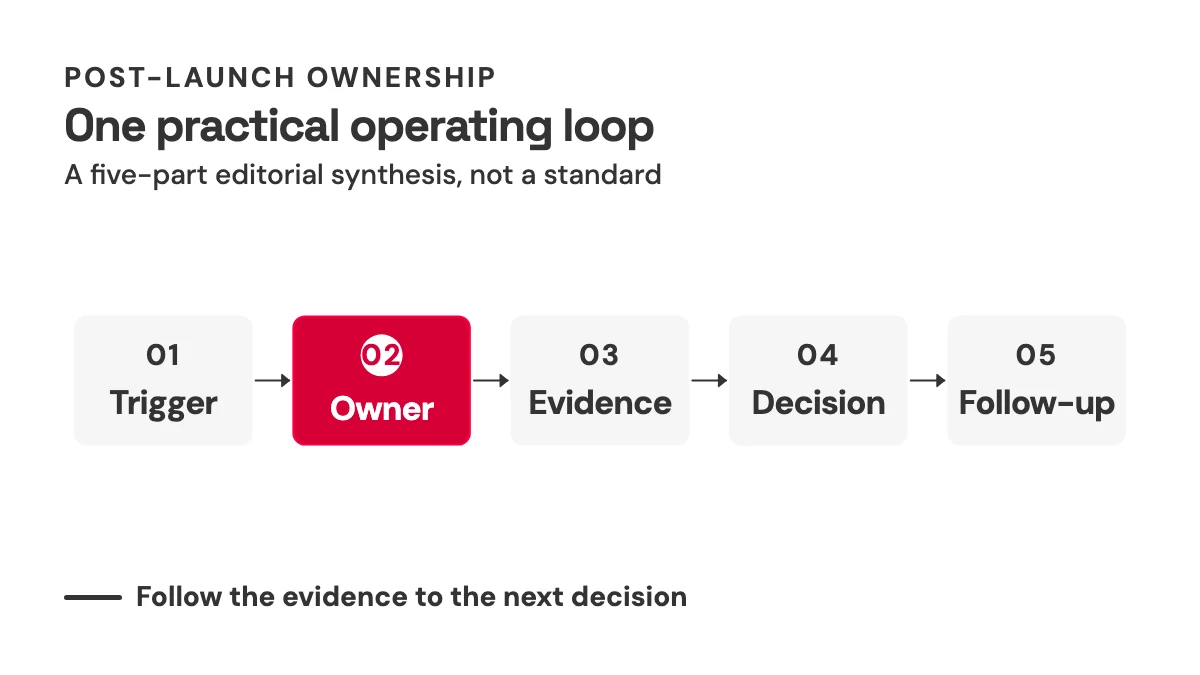
The same map can hold facts, search visibility, accessibility, distribution, and release decisions. A changed offer calls for someone to compare the published claim with an approved source. A live URL ready for promotion calls for someone to check the destination and the inquiry path. Those are suggested assignments, not roles prescribed by a source. Once a trigger has an owner, resist the temptation to treat the first chart they open as the answer.
A traffic dip is a signal, not a diagnosis
Say the team changes a headline and later notices fewer Search clicks to that page. Rolling back the headline feels decisive. It may also be the wrong move. Google Search Central lists technical issues, security or spam problems, algorithm changes, seasonality, changing interests, and reporting glitches among possible explanations for traffic changes.[3] Proximity in a timeline does not establish which one occurred.
Have the search owner open the page and query views in Search Console, choose comparable date ranges, and look at impressions as well as clicks.[1] A change isolated to one page needs a different investigation from a change across the whole site. Check for a reporting or technical explanation before altering the copy. This sequence narrows the question; it cannot prove causation from Search Console alone.
There are other kinds of visibility work beyond conventional Search reporting. For one separate editorial angle, see this AI-agent discoverability audit. It is related reading, not evidence that a traffic dip has a particular cause.
A clearer diagnosis still leaves a judgment call: how much trust should the team place in a passing automated check?
Let automated checks raise flags; keep judgment human
After a layout change, an automated accessibility scan may return no obvious errors. That is useful evidence, not a certificate. W3C's Web Accessibility Initiative says no tool alone can determine whether a site meets accessibility standards; knowledgeable human evaluation is required.[4] Have a person review the changed page, including the path a visitor takes to complete its main action, rather than filing the scan as final approval.
Performance numbers have their own, narrower job. web.dev calls LCP at or below 2.5 seconds, INP at or below 200 milliseconds, and CLS at or below 0.1 “good” Core Web Vitals, assessed at the 75th percentile with mobile and desktop considered separately.[5] Those are performance thresholds, not a post-launch timetable. A page can meet them and still contain an inaccessible form or an unclear error message.
The distinction matters most when the report looks reassuring. If a form edit makes an error state hard to understand, a good LCP number does not settle whether to ship it. Ask the owner to look at the actual changed path, on a relevant device, and say what remains uncertain. Once a problem is plausible, the next question is how to fix it without burying the evidence under several unrelated edits.
Make the change small enough to review and recover
Imagine changing the contact form's confirmation message while also redesigning the entire landing page. If inquiries then stop arriving, the team has made its own investigation harder. I would separate those changes unless there is a strong reason to bundle them.
Google's SRE Workbook discusses smaller, self-contained release artifacts as easier to roll back, alongside using relevant metrics for canary releases.[6] That is production-engineering guidance, not a requirement to install canary machinery on a small marketing website. The proportional translation is simpler: review a scoped change in preview, test a successful and an invalid submission, and know the recovery option your publishing setup actually supports before it goes live.
If the setup has no easy restore path, say so in the handoff rather than pretending one exists. A second reviewer can be useful for a consequential public claim or a broken inquiry path; a typo fix may not need the same process. The decision follows the risk of the change. Once the change ships, leave a record that lets someone else distinguish what was checked from what was assumed.
Close the loop with a dated decision and follow-up
A note saying “form checked” is hard to inherit. Was the phone test successful? Did the intended recipient see the inquiry? Was the check before or after the last edit? A useful record has enough detail to answer the next person's first question, without becoming a project-management ceremony.
| Date | Trigger | Accountable owner | Evidence checked | Decision | Next check |
|---|---|---|---|---|---|
| [date] | [event or observed signal] | [person's name] | [page/query and date range, form event, or test and receipt] | [publish, hold, investigate, or restore, with reason] | [next meaningful change or risk-based review] |
form_submit event from confirmed receipt.[2] The blank row is a reusable prompt, not a claim that either event occurred. Put the next check where risk or the next material change warrants it. A lightly edited information page and a contact form receiving a new campaign do not need an identical calendar; no source here establishes one.
The operating loop offers one practical answer to what to do after launching a website; it is not a certified practice or a promise of better rankings or more inquiries. Its value is modest and immediate: when the next signal arrives, somebody knows what evidence to inspect and who can make the call. Send this trigger-owner map to the teammate who inherits the next site change.
References
- Google Search Console Help, “Performance report (Search results): Overview and basic setup.” Defines clicks, impressions, CTR, average position, and page/query/date views. https://support.google.com/webmasters/answer/7576553?hl=en
-
Google Analytics Help, “Enhanced measurement events.” Defines
form_startandform_submit; these events alone do not verify downstream receipt. https://support.google.com/analytics/answer/9216061?hl=en - Google Search Central, “Debugging drops in Google Search traffic.” Lists possible technical, security, algorithmic, seasonal, interest, and reporting explanations. https://developers.google.com/search/docs/monitor-debug/debugging-search-traffic-drops
- W3C Web Accessibility Initiative, “Evaluating Web Accessibility Overview.” Explains the limits of tools and the need for knowledgeable human evaluation. https://www.w3.org/WAI/test-evaluate/
- web.dev, “Web Vitals.” Documents the good LCP, INP, and CLS thresholds and 75th-percentile assessment by device type. https://web.dev/articles/vitals
- Google, Site Reliability Engineering Workbook, “Canarying Releases.” Discusses smaller, self-contained release artifacts and metrics for canary releases. https://sre.google/workbook/canarying-releases/