Working template, edited by your AI
Restaurant Menu website template
Start from a complete restaurant template with its own database. Bring your menu, dining story, opening hours, location and reservation details together, then use ChatGPT or Claude to adapt the content and design.
Updated
Free to start. Custom domains and collaboration depend on your plan.
What you start with
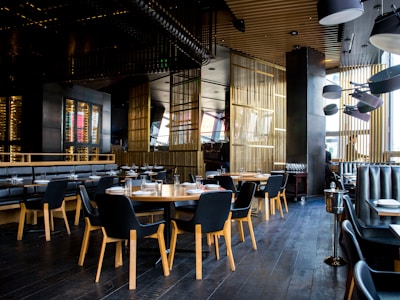
Restaurants and cafes that need an accessible menu and a clear route from discovery to a dining inquiry.
- Menu presentation and restaurant story
- Location, service hours and contact information
- Space for reservation details
- A site-scoped database and hosted publishing
What to check before launch
- Reservation details do not mean live table inventory or confirmed bookings are configured.
- Online ordering, payments and delivery integrations are not promised by this template page.
- Review prices, allergens, opening hours and the destination of every reservation link before publishing.
An editing brief to make it yours
Connect Boomlink to ChatGPT or Claude, replace the bracketed details, then use this sample brief. It is an instruction to try, not a record of a completed customer build.
Start from the Boomlink restaurant template for [restaurant name]. Use [my menu and prices], [opening hours], [address] and [reservation instructions]. Keep the menu readable on mobile. Do not invent reviews, awards, allergens or availability. Mark any missing information for review and show me the preview before publishing.
Review the preview, test the relevant links and forms using non-sensitive test data, and publish only when the result matches your requirements.
Choose the next step
Start from the template, compare plan limits, or read the setup guide. The template selection is preserved through signup.