
How to Track ChatGPT Traffic in GA4 Through to an Enquiry
Track ChatGPT referral traffic in GA4, learn what Direct can't tell you, and run a labelled test to check whether the form saved a real enquiry.
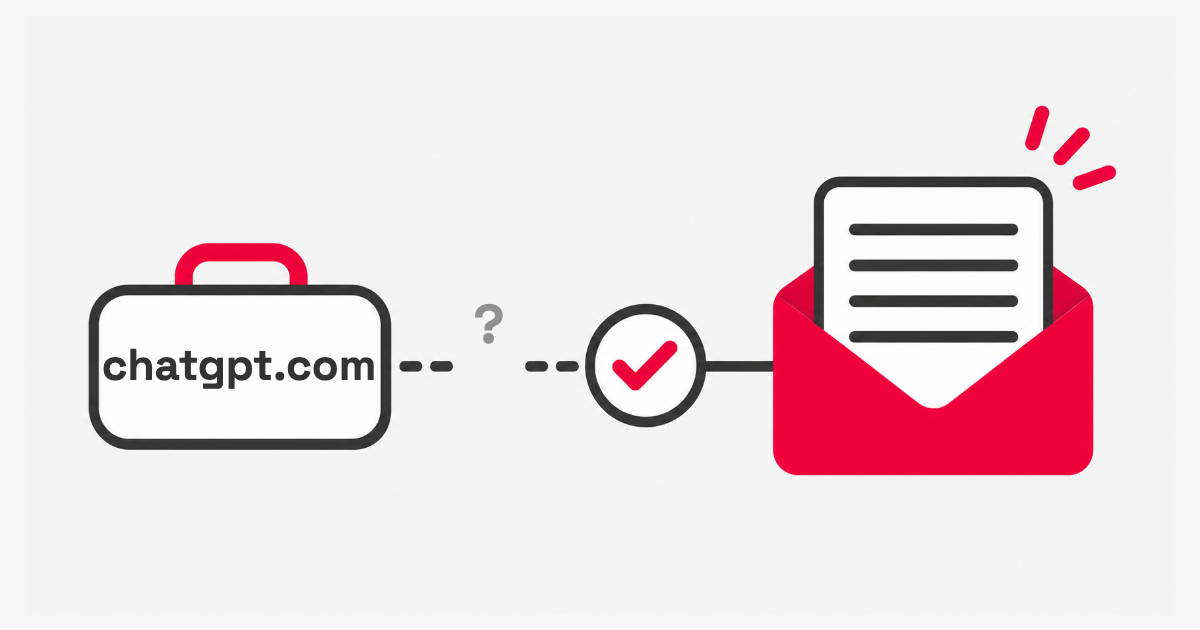
To track ChatGPT traffic in GA4, open the Traffic acquisition report, set the dimension to Session source / medium and look for chatgpt.com. GA4 can only label a visit that way when the visit brings a signal with it: a chatgpt.com referrer, or a link tag such as utm_source=chatgpt.com.[1][3] A visit with neither may show up as Direct / (none), and that row can't tell you whether it came from ChatGPT or from someone typing your address.[4] To know whether a visit became an enquiry, check two more things on their own: the form's success event, and the enquiry itself, stored wherever yours land.
A ChatGPT row tells you a label arrived. Only your inbox, CRM or booking system can tell you an enquiry did.
The label is also less steady than it looks. In one agency's sample of links in ChatGPT answers, the share carrying a ChatGPT tag fell from 99.9% to under 1% within about a week in October 2026.[6] A report built on that tag could show a slump whatever real people were doing.
What GA4 labels automatically
Since 13 May 2026, GA4 has had a default channel called AI Assistant. When a visit's referrer matches GA4's list of recognised AI assistants, GA4 sets the medium to ai-assistant and the campaign to (ai-assistant), and the visit is grouped into that channel.[1][2]
Two details catch people out. The channel lumps assistants together, so it's a good broad view of AI traffic in GA4 but won't separate ChatGPT from the others. For that, switch the dimension to Session source and look for chatgpt.com. And Google's own AI Overviews and AI Mode aren't part of the AI Assistant channel at all.[2] Those visits stay with Google search traffic.
Once you can pick out the ChatGPT visitors, it's worth looking at the pages they land on. There's a separate piece on what AI-referred visitors expect from a page, and it's far more useful once you know which visits you're talking about.
Source, medium and channel are different fields
If you've seen chatgpt.com / (none) in a report and wondered what on earth it means, the answer starts with how GA4 stores tags. Source and medium are separate fields, and a tagged link fills them from separate parameters: utm_source sets the manual source and utm_medium sets the manual medium.[3] A link tagged with only utm_source=chatgpt.com has a source and no medium, so a row reading chatgpt.com / (none) fits that pattern. That's my reading of how the fields work together. Google's help page doesn't describe this exact row.
The row also can't show you the path a person took. It won't say which device they used, whether they were in the app or the website, or whether they clicked inside ChatGPT at all. A tagged link can be copied into an email or a group chat, and the tag travels with it. Anyone can also type that tag onto a link by hand, which is exactly what the test further down does. So a chatgpt.com source is a label on the visit. It doesn't prove the link came from ChatGPT, or that someone clicked it there.
When GA4 can't identify where a visit came from
Google describes Direct / (none) as traffic that "doesn't have a clear referral source."[4] That's a description of missing information, and it covers a lot of ground: typed addresses, bookmarks, and links that arrive with nothing attached. A web page can also tell the browser to send no referrer. Under a no-referrer policy, the Referer header is simply left off the request.[7] I'm not saying that's what ChatGPT does. It's one ordinary way a visit can turn up with no clue about its origin.
The usual advice at this point is to build a regex channel group or a filter that catches more AI sources. That's worth doing for sorting the signals you have. It can't create a signal for a visit that arrived without a referrer or a tag.
The tag itself can come and go, too. Aloha Digital collects ChatGPT answers every day for the brands it tracks, and counted how many of the cited links carried a ChatGPT utm_source tag:
| Dates (2026) | Cited links checked | Links carrying a ChatGPT tag |
|---|---|---|
| 2 to 8 Oct | 30,953 | 30,919 (99.9%) |
| 11 to 15 Oct | 42,325 | 317 (0.75%) |
| 16 Oct | 28,672 | 14,881 (51.9%) |
On 16 October, tagging climbed from 5.8% at 05:00 UTC to 61.8% by 09:00.[6] The authors are careful about what their numbers can't show: "our data cannot show whether links still open without a referrer."[6] They also report that their clients' GA4 properties saw fewer attributed users after 9 October. That fits the tagging drop, but it doesn't show where those visits went.
So if your ChatGPT numbers fell in October, check whether the signal changed before you cut anything you pay for. Moving some Direct visits into a ChatGPT bucket because the dates line up would be a guess presented as data. A missing ChatGPT row is unknown. It doesn't mean zero visits, and Direct isn't secretly ChatGPT.
Click, event, record
Say GA4 does show a chatgpt.com session. What you really want to know is whether that person got in touch, and that happens in three separate places:
- The session source. A visit arrived carrying a ChatGPT label.
- The success event. Your site recorded that the form accepted an enquiry. Google's recommended event for this is
generate_lead, which "measures when a lead has been generated (for example, through a form)."[5] It only exists if someone sets it up, and you decide whether to mark it as a key event. It's also only as trustworthy as whatever triggers it. - The stored enquiry. The message is in your inbox, CRM or booking system.
These three can disagree. GA4's built-in form events record that someone started or submitted a form, and as covered in what to do after launching a website, neither one confirms the message reached you. A success screen can appear before the server has actually saved anything. And an enquiry can arrive safely while a consent choice or an ad blocker kept GA4 from recording the visit.
Start wherever the evidence breaks:
| What you see | What it suggests | What to check next |
|---|---|---|
| ChatGPT sessions, no success events | People arrive but don't finish, or the event isn't set up | Send a test enquiry and watch DebugView. If the event fires, look at where people drop off in the form |
| Success events, but fewer stored enquiries | The event fires on submit rather than on save, or delivery fails | Check what triggers the event, then where submissions are stored or forwarded |
| Enquiries arriving, with no matching events or sessions | Consent choices, blockers or a missing event | Check that the event fires on the success step, and what your consent banner allows |
Run one labelled test
You can run the test visits in an afternoon without putting anyone's personal details into GA4. The attribution check comes later, once GA4's reports have processed. This is a procedure to follow, not something I've run on your site, so treat it as a checklist.
- Start each visit in a clean session. Close every private window before opening a new one, because private windows open at the same time can share state, and an earlier visit can colour how the next one is attributed.
- Tag test. Open your contact page with
?utm_source=chatgpt.com&utm_campaign=ga4-testadded to the address. This checks that GA4 reads the tag. It says nothing about whether ChatGPT sends anyone. - Control. In a fresh clean session, type your contact page address with no tag. In a clean session this visit should land in Direct. If it doesn't appear at all, look at consent, blockers and whether GA4 is collecting before reading anything else into the test.
- Real citation, if you have one. If ChatGPT already links to your site for some question, click through from the answer in another clean session. If it doesn't, skip this step.
- On each visit, send a test enquiry with a made-up marker in the message box, such as "GA4 test B, please ignore". The marker lives only in the stored message. Keep it, and any names, emails or phone numbers, out of web addresses and out of GA4.
- Check the success event as it happens in DebugView, with debug mode turned on. Then, once GA4's reports have processed, look up each visit's Session source / medium in Traffic acquisition and find the matching stored enquiry by its marker and time.
That timestamp match works for a handful of labelled test visits. It isn't a reliable way to join your monthly totals to individual enquiries.
Note any filter you use to keep the test visits out of your normal reports, so nobody mistakes them for real interest later.
If one link in the chain breaks, it helps to assign an owner to investigate the change rather than leaving it as a shared worry.
What this can't tell you
Even with all three checks working, some things stay out of reach:
- Consent settings and blockers can stop GA4 from recording a visit, and GA4 won't join a stored enquiry to a visit for you. Matching on timestamps and markers is manual.
- Redirects can strip a tag or change the referrer on the way in. Look at the final address a visitor lands on, not only the link you shared.
- The ChatGPT app and website may pass different signals. Test each one you care about.
- A tagged link shared outside ChatGPT still reads as chatgpt.com.
- Channel rules change. The AI Assistant definition here dates from May 2026, so note the date when you compare months, and keep an eye on Session source / medium rather than the channel alone.
For a monthly check, put three numbers side by side: ChatGPT-labelled sessions, success events and stored enquiries. When one moves and the others don't, run the labelled test again before deciding anything. The GA4 row tells you where to look. The count of real enquiries comes from wherever they're stored.
References
-
Google Analytics Help, GA4 release notes, entry dated 13 May 2026. Introduces the AI Assistant default
channel, the
ai-assistantmedium and the(ai-assistant)campaign for recognised AI assistant referrers. Accessed 27 November 2026. https://support.google.com/analytics/answer/9164320?hl=en - Google Analytics Help, GA4 default channel definitions. Defines the AI Assistant channel rule and notes that Google AI Overviews and AI Mode are not included. Accessed 27 November 2026. https://support.google.com/analytics/answer/9756891?hl=en
-
Google Analytics Help, traffic-source dimensions, manual tagging and auto-tagging. Maps
utm_sourceandutm_mediumto the manual source and manual medium dimensions. Accessed 27 November 2026. https://support.google.com/analytics/answer/11242870?hl=en - Google Analytics Help, understanding (direct) / (none) traffic. Describes Direct as traffic without a clear referral source. Accessed 27 November 2026. https://support.google.com/analytics/answer/15258820?hl=en
-
Google for Developers, GA4 recommended events reference,
generate_lead. Defines the event for when a lead has been generated, for example through a form. Accessed 27 November 2026. https://developers.google.com/analytics/devguides/collection/ga4/reference/events#generate_lead -
Itay Malinski, Aloha Digital, insight article on ChatGPT removing
utm_sourceand AI traffic attribution, published 15 October 2026, updated 17 October 2026. Publisher's own sample of 125,405 links cited in ChatGPT answers, 25 September to 16 October 2026; third-party measurement, not a GA4 or OpenAI figure. Accessed 27 November 2026. https://aloha.digital/insights/chatgpt-utm-source-removed-ai-traffic-attribution/ -
MDN Web Docs, Referrer-Policy header reference. Explains that under
no-referrerthe Referer header is omitted. Describes browser behaviour, not any specific site's policy. Accessed 27 November 2026. https://developer.mozilla.org/en-US/docs/Web/HTTP/Headers/Referrer-Policy